What is NeoMind?
NeoMind is an edge-deployed AI platform that brings intelligence to IoT. It runs LLM-powered agents directly on your hardware, connects to devices via MQTT / BLE / Webhook, automates responses through a rule engine, and visualizes everything on real-time dashboards — all without relying on cloud services.
Key idea: Talk to your devices in natural language. The AI understands your intent, queries device states, creates automation rules, and takes action autonomously.
Product at a Glance
Three core surfaces of NeoMind — manage your devices, visualize your data, and drive everything through natural language.
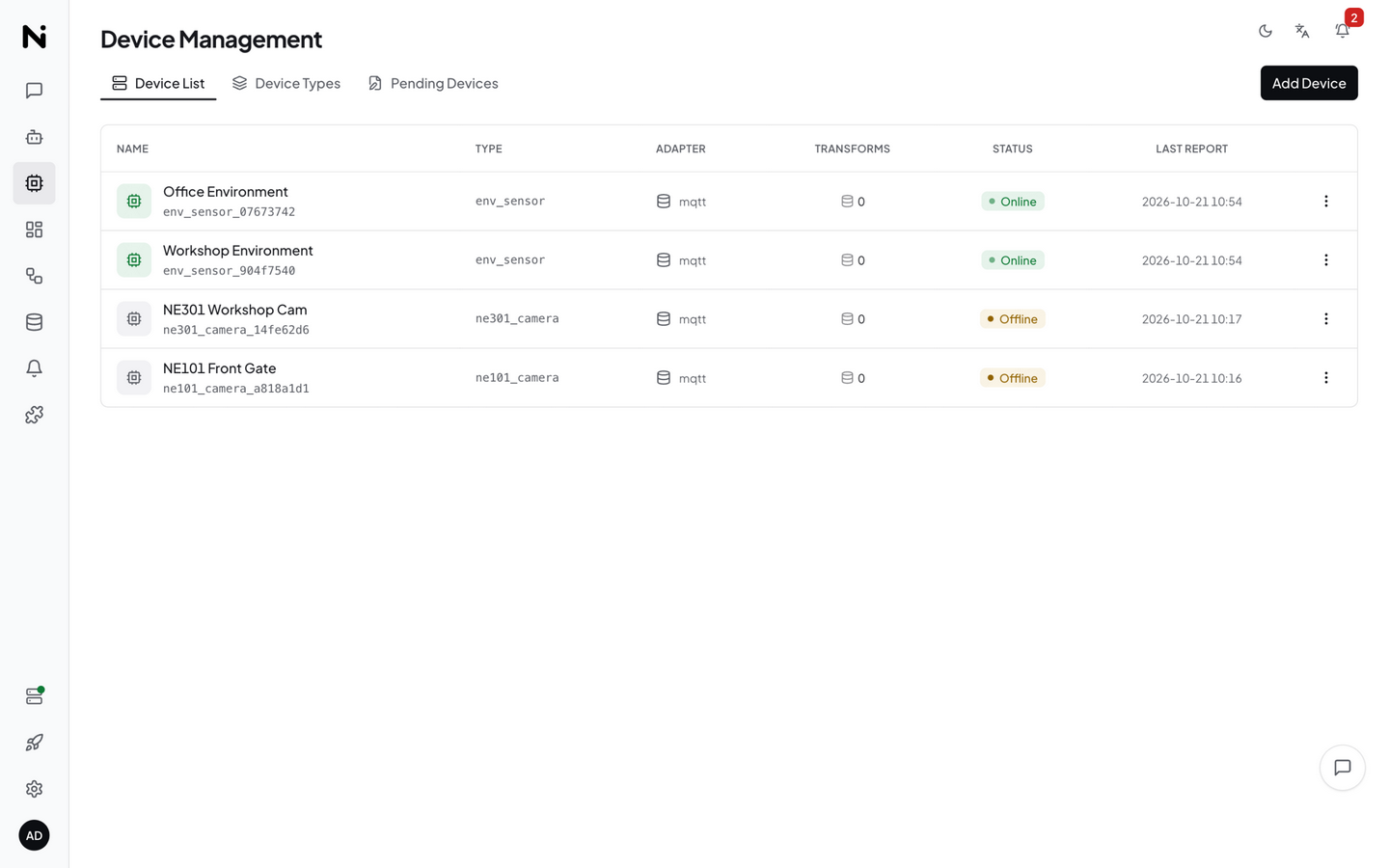
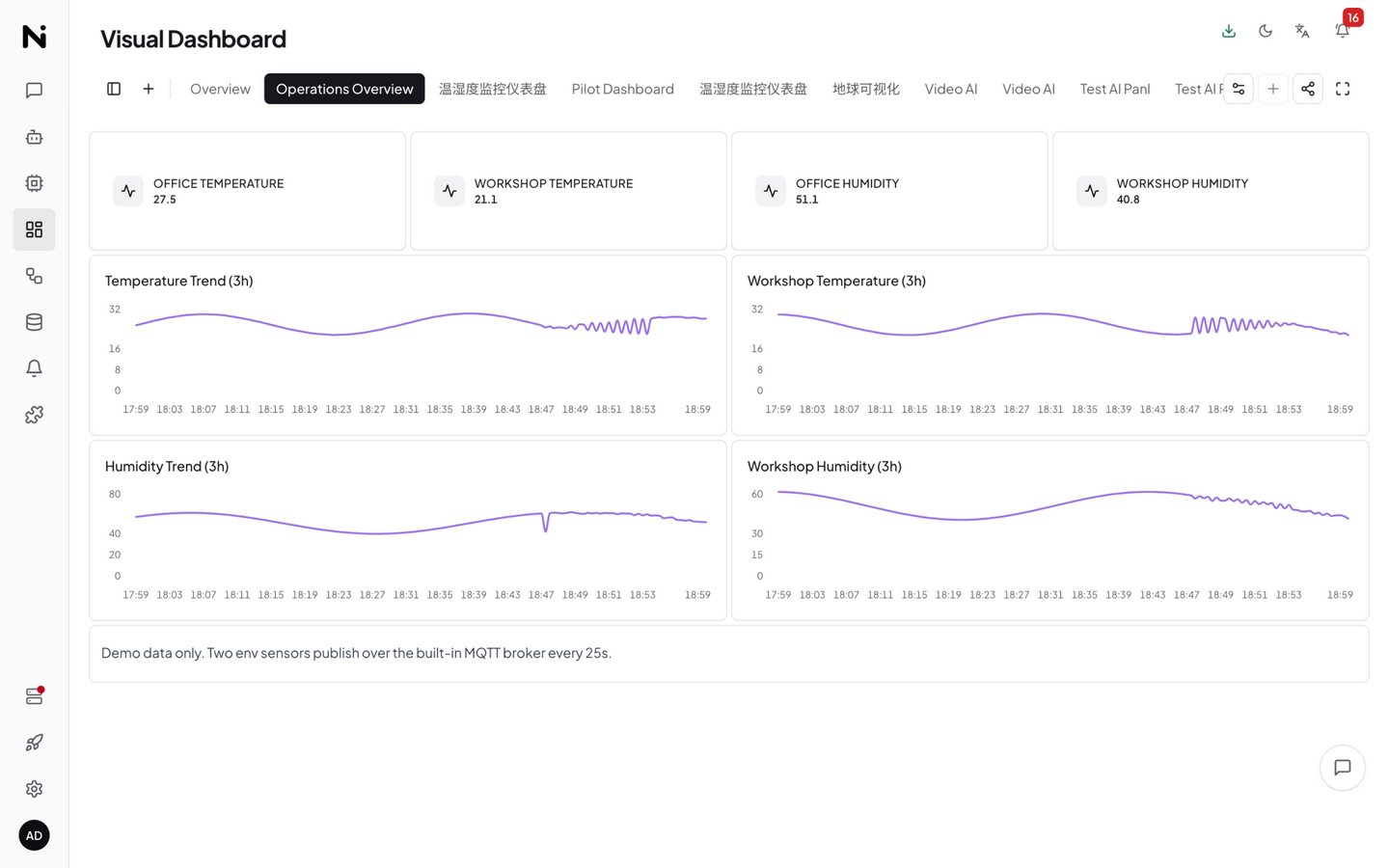
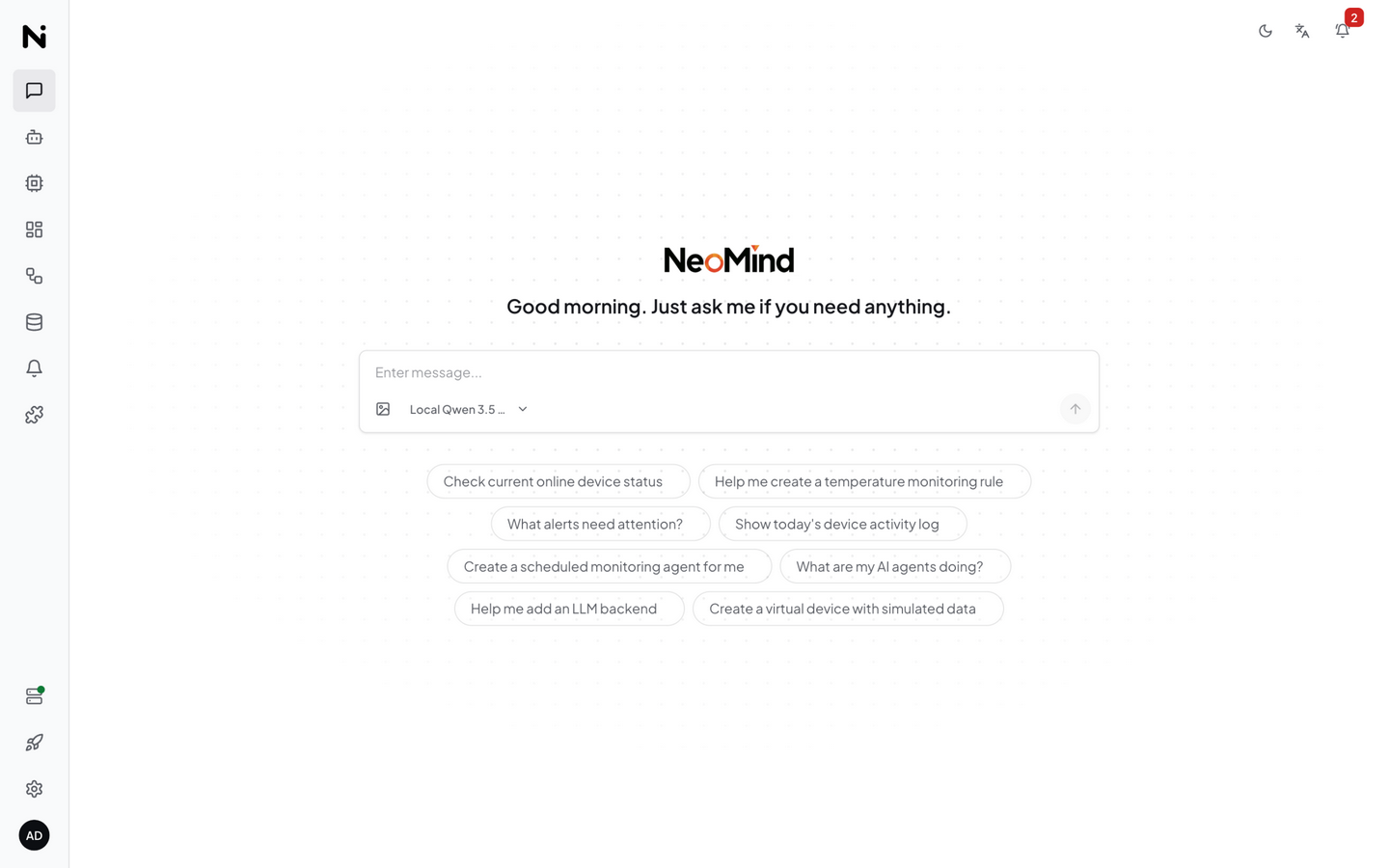
Product Architecture
NeoMind uses a single-process, multi-layer architecture — all core capabilities are packaged in one process, with no external database or message broker required. The built-in model is downloaded on demand with its inference server spawned automatically by the platform, and extensions run in mutually isolated processes.
-
Single-Process, Self-Contained — API, MQTT broker, storage, rule engine, and data push all live in one main process; the built-in model's inference server (llama-server) is spawned on demand as a child process, and vision models automatically get a vision companion. A single
cargo runand everything is ready. No Docker compose, no external dependencies. -
Edge-First, Cloud-Optional — The default local LLM is the built-in model (one-click download, ready out of the box; Ollama / llama.cpp / cloud backends also supported) for 100% offline operation — data never leaves your LAN. When you need more power, switch to cloud models (OpenAI / Claude / GLM) with one click.
-
Small Models, Reliable Execution — The platform wraps local small models (4B-class) in a full set of execution guardrails: the three agent execution shapes share one runtime, outputs are schema-validated into verifiable structured data, narration guards prevent "said but not done", and failure circuit breakers with self-healing keep unattended agents from running degraded. Runnable at the edge — and reliable.
-
Crash-Isolated, Capability-Authorized Extensions — Extensions are loaded by a dedicated extension-runner process (FFI), talk to the main service over an event stream, and are granted system interfaces by capability. A YOLO extension crashes? The main service and other extensions are completely unaffected.
Want to go deeper into each layer's design? Read Core Concepts — full breakdown of the data lifecycle, extension model, and agent execution loop.
Why NeoMind?
| Feature | Description |
|---|---|
| Fully self-contained | Embedded MQTT broker, redb storage, no external database or broker to install |
| Type-safe end-to-end | Rust backend with compile-time guarantees; agent CLI commands dispatch in-process with structured data, no fragile string parsing |
| Crash-proof extensions | Extensions run in isolated processes with capability-based permissions; a misbehaving extension never takes down the server |
| Cloud-optional | The default local LLM is the built-in model (one-click download, ready out of the box; Ollama / llama.cpp also supported) for 100% offline operation, or connect cloud models when you need more power |
Core Capabilities
AI Intelligence
- Built-in local AI, zero setup — one-click catalog model download on the backend card (LFM2.5 / MiniCPM5 / Qwen3.5, 7 models incl. the 0.7GB vision variant MiniCPM-V), no API key, no Ollama; GGUF import supported
- Natural Language Chat — Conversational interface to query and control all connected devices
- Autonomous Agents — Three execution shapes (scheduled / event / structured): the first two monitor, analyze, and act on device data independently; the structured shape schema-validates its output into
ai:{agent_id}:{field}virtual metrics - 10+ LLM Backends — Built-in model (local, one-click download), Ollama, OpenAI, Anthropic, Google, xAI, Qwen, DeepSeek, GLM, MiniMax, and any OpenAI-compatible endpoint
- Memory System — Cross-session memory (user profile / knowledge base / procedures + execution journals), auto-extracted and persisted after each conversation
- Skill System — YAML + Markdown skill files that guide agent behavior for specific scenarios
- Multimodal — Image upload and visual analysis (built-in vision model MiniCPM-V, or Ollama / cloud vision models)
Device Management
- MQTT Protocol — Primary device integration with embedded broker, mTLS, and CA certificate support
- BLE Provisioning — Zero-touch device setup via Bluetooth (Tauri native + Web Bluetooth)
- HTTP / Webhook — Flexible REST-based device adapter
- Auto-Discovery — Automatic device detection, type registration, and AI-assisted onboarding
- Command Queue — Send control commands to devices with parameter validation and tracking
- Custom Device Types — Define device metrics and commands via JSON type definitions
Automation
- JSON Rule Engine — Structured rule definitions:
{"condition": {"condition_type": "comparison", "source": "device:sensor:temperature", "operator": "greater_than", "threshold": 30}} - Data Transforms — JavaScript-based data transformation for creating virtual metrics
- AI agent execution — Three shapes: scheduled, event-driven, or structured; ties into the rule engine (rules can trigger agents)
- Event Bus — Pub/sub architecture for decoupled component communication
Dashboards & Visualization
- Drag-and-Drop Builder — Visual dashboard editor with responsive grid layout
- Rich Widgets — Value cards, line/bar/pie charts, Markdown display, image/video display and other built-in widget types; VLM vision and stream player are provided by extensions
- Real-time Updates — WebSocket / SSE for live data streaming to dashboards
- Dashboard Sharing — Public links with expiration
- Custom Components — Build and publish your own dashboard widgets
Voice & Multimodal
- Real-time voice assistant — mic → VAD → ASR → LLM → TTS, fully local end-to-end
- ASR / TTS — SenseVoice 5-language ASR; three interchangeable TTS engines incl. voice cloning
- Vision AI extensions — object detection, OCR, face recognition, visual grounding, video VLM
Industry & Protocol Integrations
- Industrial protocols — Modbus / OPC-UA / BACnet bridges for PLCs, meters, and BACnet controllers
- LoRaWAN — ChirpStack / TTN sensor auto-discovery with downlink control
- Home Assistant — two-way sync with 3000+ smart-home entities
Notification & Data Push
- 7 Notification Channels — Webhook, Email, Telegram, WeCom, DingTalk, Slack, Feishu, plus the in-app notification center
- IM Bridges — Chat with AI agents directly in Telegram / Feishu (independent from the notification channels)
- Data Push — Forward telemetry data to external systems via Webhook or MQTT
- Delivery Tracking (Data Push) — Exponential backoff retry, delivery history, and log management
- Message Deduplication — Prevent notification storms from high-frequency triggers
Platform
- Multi-Instance — Connect to and manage multiple NeoMind backends from a single interface
- Extension System — Native & WASM extensions with process isolation and capability-based permissions
- Cross-Platform Desktop — macOS, Windows, Linux native apps via Tauri
- Mobile-Friendly Web — Responsive web UI optimized for phone and tablet
- i18n — English and Chinese
- Dark Mode — System-aware dark/light theme
- API Key Auth — Alternative to JWT for programmatic access
- CLI Tools — Full-featured command-line interface
Ecosystem
NeoMind is a modular ecosystem with specialized repositories for each concern:
| Repository | Purpose |
|---|---|
| NeoMind | Core platform — backend, frontend, desktop app |
| NeoMind-Extensions | Official extension marketplace — weather, YOLO detection, OCR, face recognition, streaming |
| NeoMind-DeviceTypes | Device type definitions — standardized metrics and commands for IoT hardware |
| NeoMind-Dashboard-Components | Dashboard widget marketplace — community-contributed React components |
Who It's For
- IoT integrators / solution engineers — Need to rapidly build edge intelligent solutions connecting cameras, sensors, and controllers with automation
- Industrial / campus / retail operators — Want to manage devices, configure alerts, and visualize data in natural language
- Secondary developers — Extend the platform via the Extension SDK, custom device types, or dashboard components
- AI application engineers — Run multimodal LLM agents at the edge, connected to real physical devices
Next Steps
- 5-Minute Quick Start — Experience the core loop in record time
- Core Concepts — Understand the system overview and data flow
- Glossary — Central definitions for all core terminology
- Install & Setup — Get NeoMind running on desktop or server
- Configure LLM Backend — Connect Ollama or cloud models
- Onboard a Device — Use the onboarding wizard
- AI Agent — Create autonomous agents
- Automation Rules — JSON rule engine
- Extensions — Install vision AI / OCR extensions
- Developer Guide Overview — Start from one of four dimensions: device types / extensions / dashboard components / main project
- Use Cases — End-to-end scenario examples
Applies to: v1.2.x (Oct 2026)
Last updated: 2026-10-21