Person Detection
This recipe uses neoruntime-apps/examples/person-detection to run a minimal containerized person-detection app: subscribe to a raw video stream, use the device's person-detection model, publish detection events, and trigger the white light when the device supports it.
The complete code, manifest, and Dockerfile are in the Person Detection example. This page keeps only the steps needed to run the example.
1. Goal and prerequisites
After completing this recipe, you should see person-detection results and receive the app/person-detection/detection event.
Before you start, confirm that:
- the NE503 Web Console is reachable;
- the
person-detectionmodel is available on the device; - Docker, Git, and network access to
neoruntime-appsand PyPI are ready.
2. Key configuration
The values below come from the repository's app.yaml and Python SDK usage examples:
| Item | Current value | Purpose |
|---|---|---|
| SDK module | neoruntime_ipc_sdk | Python import module for the PyPI SDK |
| Video permission | third.raw | Permission for the raw video stream |
| Subscribed stream | third | Stream passed to InferenceClient.subscribe() |
| Model ID | person-detection | Model that must be available on the device |
| Detection threshold | 0.7 | Person confidence threshold injected by the manifest |
| Alert topic | alerts/detection | Published at the ALERT_COOLDOWN_SECONDS interval |
If the model or stream names differ, update app.yaml and app.py together after checking the device values.
3. Get and build the app
3.1 Get the source and check the manifest
Clone the app repository:
git clone https://github.com/camthink-ai/neoruntime-apps.git
cd neoruntime-apps/examples/person-detection
If you want to run the Python example directly on the host, install the SDK from PyPI. The distribution package is neoruntime-ipc-sdk; the import module is neoruntime_ipc_sdk:
pip install neoruntime-ipc-sdk
from neoruntime_ipc_sdk import InferenceClient
The manifest must include these permissions and settings:
permissions:
  video:
    - third.raw
  inference:
    models:
      - person-detection
    max_qps: 30
    max_concurrent: 2
    allow_register_model: false
  events:
    publish:
      - app/person-detection/*
      - alerts/detection
  device:
    light: true
    ir_cut: true

env:
  - name: DETECTION_THRESHOLD
    value: "0.7"
  - name: ALERT_COOLDOWN_SECONDS
    value: "5"
  - name: LOG_LEVEL
    value: "INFO"
See the complete app.yaml. allow_register_model: false means the device must already provide person-detection.
3.2 Build the ARM64 package (advanced)
The device runs ARM64 images. Building from GitHub source is an advanced path; the current upstream process is defined by the neoruntime-apps README and may still require a sibling SDK checkout and a local wheel. The default SDK installation command remains pip install neoruntime-ipc-sdk; see the neoruntime-sdks Python API documentation for the SDK reference.
4. Install and start
4.1 Install
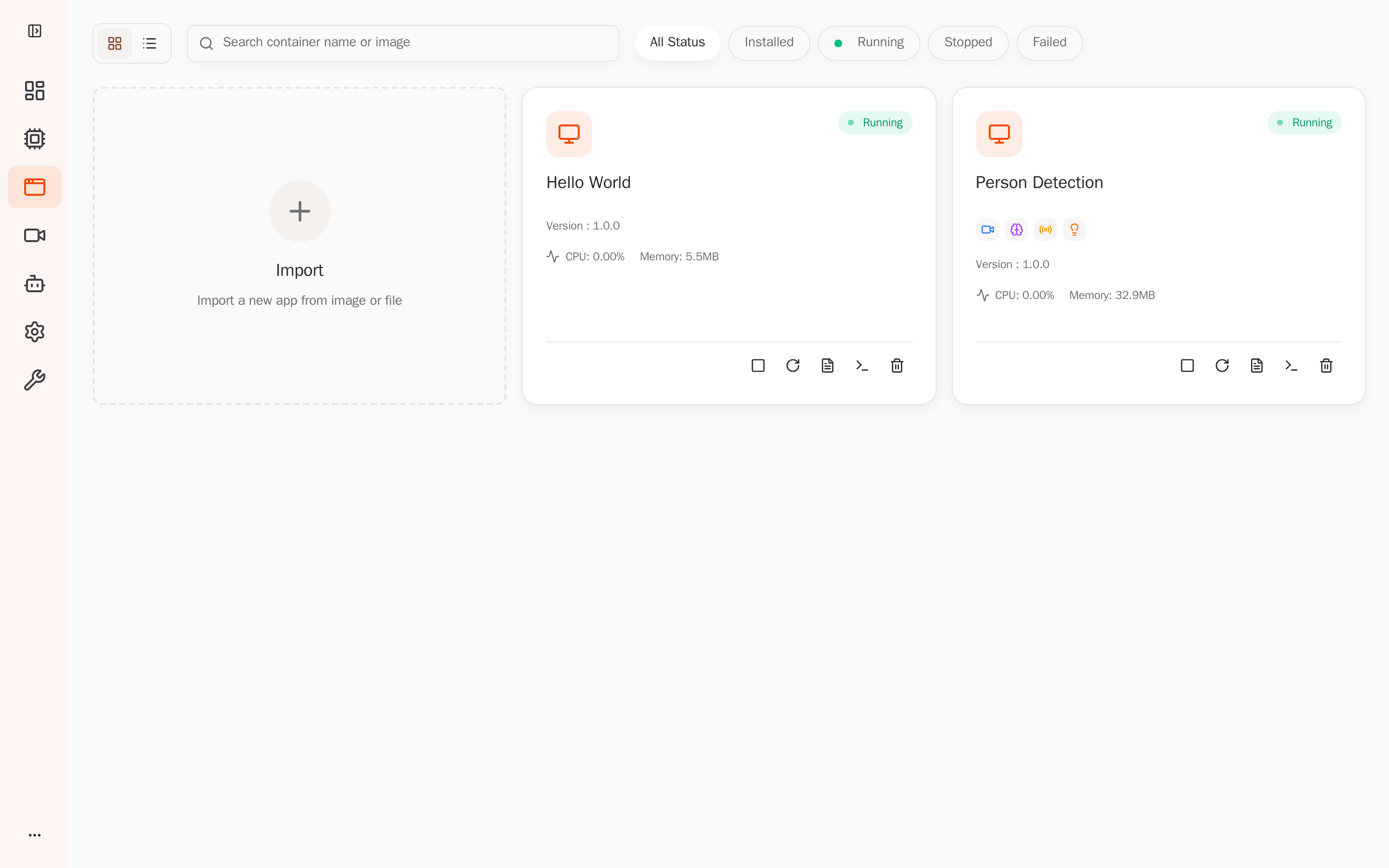
In the Web Console, open App Management, import person-detection.aipc, and click Install.
From a device terminal, extract the package and install the separate manifest and image tar:
unzip -o examples/person-detection/person-detection.aipc \
  -d /tmp/person-detection
cd /tmp/person-detection
aipc-cli app install app.yaml image.tar
4.2 Start
In App Management, find person-detection, click Start, and wait for Running.
5. Verify the result
5.1 Verify app state and permissions
In the app details page, confirm:
- the state is Running;
- video permission includes
third.raw; - model permission includes
person-detection; - event publish permissions include
app/person-detection/*andalerts/detection.
5.2 Check the logs
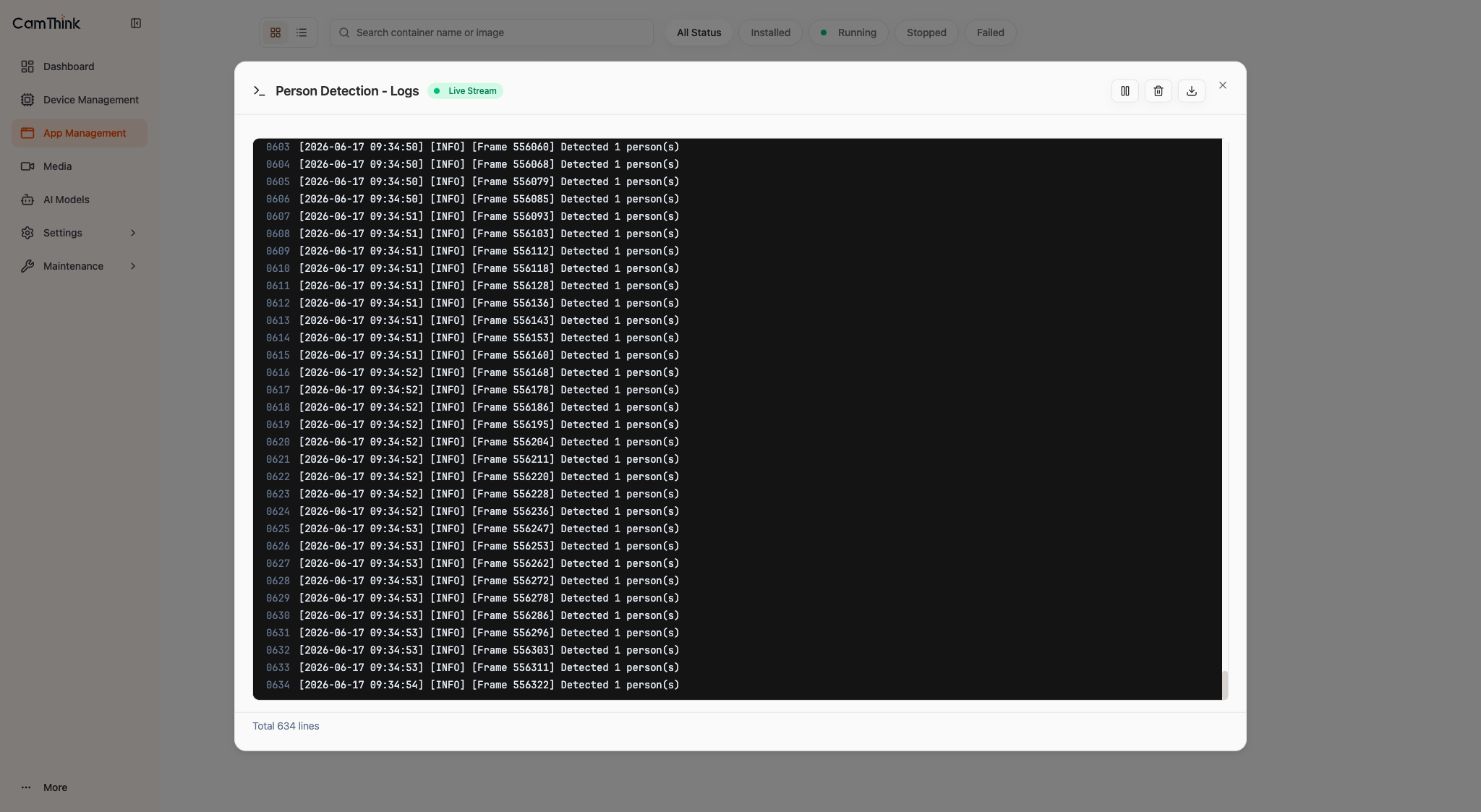
Open Logs in the app details page, or fetch the app logs through the device API. You should see records equivalent to:
Available models: [..., 'person-detection', ...]
Available video streams: [..., 'third', ...]
Subscribing to stream 'third' with model 'person-detection'
[OK] Received first inference result
Detected 1 person(s)
Statistics: frames=..., detections=..., avg_persons=...
If no first result appears, check that third.raw and person-detection are available.
5.3 Verify events
Subscribe to the app events on the device:
aipc-cli event subscribe 'app/person-detection/*'
When app/person-detection/detection arrives, check:
person_count: people in the current frame;objects[].confidence: person confidence;objects[].bbox: normalized detection box;frame_sequenceandtimestamp_ns: frame and timing information.
The app publishes alerts/detection according to ALERT_COOLDOWN_SECONDS. Fill-light control requires the corresponding hardware and permission.
6. Related docs
- Resources —
app.yaml, SDK, API, and event protocol references - Parking Lot — a multi-model Showcase with a web UI